
A home workspace should help you feel comfortable, focused, and ready to get things done. Whether you work from home every day or use a desk occasionally, a few thoughtful changes can make the area feel calmer and more inviting.
A relaxing workspace does not need expensive furniture or a complete room makeover. The goal is to create a practical environment with less clutter, comfortable surroundings, and details that suit your daily routine.
Choose the Right Location
Start by deciding where your workspace will be located. If you have a separate room, you have more flexibility. However, a small corner of a bedroom, living room, or dining area can work just as well.
Look for a spot that offers:
– Enough room for your desk and chair
– Access to natural or artificial light
– A comfortable temperature
– Minimal distractions
– Easy access to power outlets
– Space for basic storage
If possible, choose a location away from busy walkways. Constant movement around your desk can make it harder to settle into work. A quiet corner near a window can feel especially pleasant, but avoid placing your screen where direct sunlight creates glare.
For shared spaces, define the workspace with a small rug, a bookcase, or a change in wall color. These visual boundaries can help the area feel separate from the rest of the room.
Select a Comfortable Desk and Chair
Comfort is one of the most important parts of a relaxing workspace. Your desk should provide enough surface area for your computer, notebook, drink, and any tools you use regularly.
Before choosing a desk, consider:
– The size of your equipment
– Whether you need storage drawers
– The height of the work surface
– The amount of open space around it
– How well it fits the room
Your chair should support a comfortable seated position. Look for a chair with adjustable height and enough support for your back. Your feet should rest comfortably on the floor, and your shoulders should remain relaxed while you work.
If your current chair is not ideal, simple additions can help. A small footrest, a soft seat cushion, or a folded blanket may improve comfort. Adjust your screen so that you can look at it without constantly tilting your head downward.
A comfortable setup encourages you to take fewer awkward positions throughout the day and makes the workspace more pleasant to use.
Use Lighting to Set the Mood
Lighting can change the entire feeling of a room. A workspace that is too dark may feel tiring, while harsh overhead lighting can make the area feel cold and uncomfortable.
Try using several light sources instead of relying on one bright ceiling fixture. A balanced setup might include:
– Natural light from a nearby window
– A desk lamp for focused tasks
– A floor or table lamp for softer background light
– Warm accent lighting for the evening
Choose a desk lamp with an adjustable arm so you can direct light where you need it. A lamp with different brightness settings can also make it easier to transition from daytime work to evening reading.
Keep screens away from direct light whenever possible. If glare is a problem, adjust the position of your monitor, use curtains or blinds, or add a matte screen cover.
Keep the Surface Clear
A cluttered desk can make a workspace feel busy before you even begin. You do not need to keep the surface completely empty, but every item should have a useful or enjoyable purpose.
Start by removing anything that does not belong in the area. Then group similar items together. For example, keep writing tools in one container and charging cables in a small organizer.
Use these simple storage ideas:
– A tray for notebooks and papers
– A cup or holder for pens
– A box for cables and small accessories
– A shelf for books and supplies
– A drawer organizer for frequently used items
At the end of each workday, spend a few minutes returning items to their proper places. This small habit makes it easier to begin the next day with a clear surface.
For a more peaceful appearance, choose storage containers in similar colors or materials. Matching pieces can make even a small desk look more organized.
Add Natural Elements
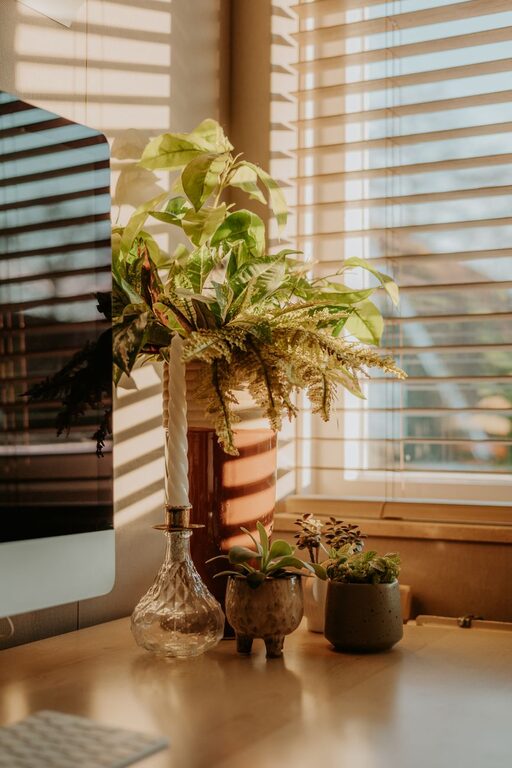
Natural elements can make a workspace feel warmer and more welcoming. A small plant, wooden accessory, or vase of fresh or dried flowers can add visual interest without creating clutter.
Choose plants based on the amount of light available. If your workspace does not receive much sunlight, consider a low-maintenance variety or use a realistic artificial plant.
Other natural touches include:
– A bamboo desk organizer
– A wooden picture frame
– A stone or ceramic paperweight
– A small bowl for everyday objects
– A landscape print or nature-inspired artwork
Use these details sparingly. One or two carefully chosen pieces can create a calm feeling without making the desk look crowded.
Choose Calming Colors and Textures
Color has a strong effect on how a workspace feels. Soft neutrals, gentle greens, muted blues, and warm earth tones can create a relaxed atmosphere. You do not have to repaint the entire room; a few accessories may be enough.
Consider adding color through:
– A desk mat
– A fabric pinboard
– Curtains
– A small area rug
– A cushion or throw
– Artwork
Textures also add comfort. A woven basket, soft rug, or fabric lampshade can make the space feel less formal. If you prefer a clean, modern look, balance soft materials with simple furniture and uncluttered surfaces.
Manage Sound and Distractions
Noise can quickly interrupt your concentration. If your workspace is in a busy part of the home, look for ways to reduce unwanted sound.
A closed door is helpful, but it is not always possible. You can also use a curtain, room divider, or bookcase to create a little separation. A rug and soft furnishings may reduce echoes in rooms with hard floors.
Some people enjoy quiet background sound while working. Consider gentle instrumental music, nature sounds, or a small fan. Keep the volume low enough that it does not become another distraction.
Place your phone outside your immediate reach when you need uninterrupted focus. Turning off nonessential notifications can also help create a calmer work environment.
Create a Simple Reset Routine
A relaxing workspace depends on regular habits as much as decoration. Create a short routine that helps you start and finish each work session.
At the beginning of the day:
- Open the curtains or turn on a comfortable light.
- Clear any items left on the desk.
- Fill a water bottle or prepare a drink.
- Review the tasks you want to complete.
- Adjust your chair and screen before starting.
At the end of the day:
- Save or organize your work.
- Return supplies to their storage areas.
- Wipe the desk if needed.
- Set out anything you will need tomorrow.
- Turn off lights and close the workspace.
These steps create a clear transition between work time and personal time. They also prevent small messes from becoming overwhelming.
Make the Space Feel Personal
Finally, include a few items that make the workspace feel like yours. This might be a favorite photograph, a small piece of art, a meaningful object, or a notebook in a color you enjoy.
Avoid filling the area with too many decorations. Choose items that support the mood you want to create and remove anything that feels distracting.
A relaxing home workspace should be functional, comfortable, and easy to maintain. With suitable furniture, balanced lighting, simple storage, and a few personal touches, you can create an area that feels calm from the moment you sit down.