
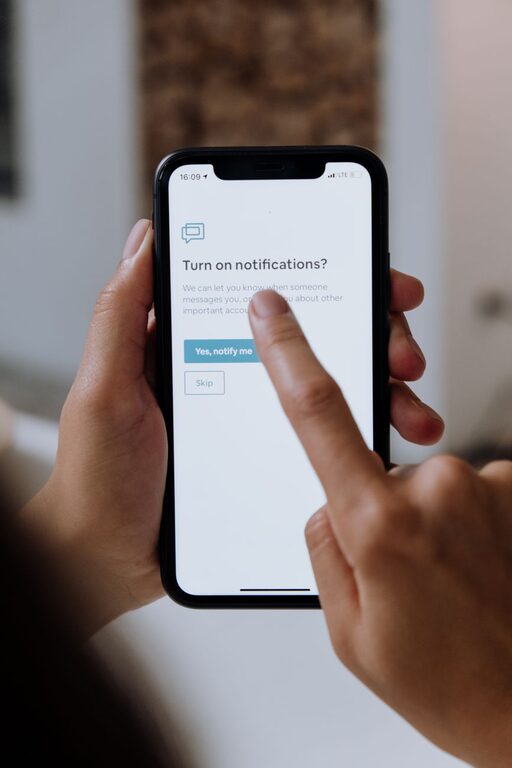
Notifications are designed to keep us informed, but a steady stream of alerts can make it difficult to concentrate, relax, or enjoy time away from a screen. Messages, reminders, news updates, shopping offers, and app activity can all compete for attention throughout the day.
Setting boundaries with notifications does not mean ignoring important information or disconnecting completely. It means deciding when, where, and how notifications deserve your attention. With a few thoughtful changes, you can make your devices work better for your schedule instead of allowing alerts to control it.
Start by Reviewing Your Notifications
The first step is to understand what is currently interrupting you. Many people receive alerts from apps they rarely use or do not need to check immediately.
Open the notification settings on your phone, tablet, and computer. Review each app and ask:
– Do I need to know about this immediately?
– Is this alert useful, or is it mostly promotional?
– Would I rather check this information at a set time?
– Could I receive fewer alerts without missing anything important?
Turn off notifications that add little value. Shopping promotions, game updates, social media activity, and repeated suggestions are often good places to start. You can usually keep the app installed while removing its ability to interrupt you.
A short review can make a noticeable difference. Fewer alerts also make the remaining notifications easier to recognize and manage.
Separate Urgent Alerts From Everything Else
Not every notification deserves the same level of attention. Create a clear difference between urgent information and routine updates.
For example, you might allow alerts for:
– Direct messages from close contacts
– Calendar reminders
– Travel or delivery updates
– Work messages during scheduled hours
– Security notices from important accounts
You can silence or delay alerts for:
– Social media likes and comments
– New content recommendations
– Marketing messages
– Daily summaries that are not time-sensitive
– App activity that can wait
Many devices let you choose different sounds, banners, or vibration patterns for different apps. Use these options carefully. A distinct sound for a truly important alert can be useful, while making every app produce a unique sound may create more noise.
The goal is not to identify every alert instantly. It is to make urgent notifications easier to distinguish from routine ones.
Create Notification Free Times
Set specific periods when notifications are turned off or limited. These periods can be short at first and expanded as they become comfortable.
Useful notification-free times may include:
– The first 30 minutes after waking up
– Focused work or study sessions
– Meals
– Conversations with friends or family
– Exercise or outdoor activities
– The hour before bed
You can use your device’s Do Not Disturb, Focus, or scheduled silence features to automate these periods. Automation removes the need to make the same decision repeatedly.
If you are concerned about missing something important, allow calls or messages from selected contacts. You can also enable an emergency bypass feature if your device offers one. This creates a quieter environment without making you unreachable.
Use Batches Instead of Constant Checking
Checking notifications every few minutes can break your concentration, even when each check takes only a moment. Instead, choose set times to review messages and updates.
For example, you might check notifications:
– At the start of the workday
– After completing a major task
– Around lunchtime
– In the late afternoon
– At the end of the day
The right schedule depends on your responsibilities. Some people may need to check more frequently, while others can work with only a few review periods.
Batching helps you handle similar tasks together. Rather than responding to one message, returning to a project, and then responding to another message, you can process several notifications during one planned break.
Protect Your Focus With Simple Device Changes
Small changes to how notifications appear can reduce distractions. Consider adjusting the following settings:
Remove Visual Interruptions
Banners, pop-ups, and animated icons can pull your attention away from the task in front of you. Turn off visual alerts for apps that do not require an immediate response.
You can also remove notification badges from your home screen. A growing number beside an app can create a sense of unfinished business, even when the information is not important.
Silence Unnecessary Sounds
Sound alerts can interrupt a conversation, meeting, or quiet activity. Keep sounds for the notifications that truly need immediate attention and silence the rest.
If you prefer to keep your phone nearby, using vibration selectively can also help. However, frequent vibrations may still become distracting, so treat them as another form of interruption.
Move Distracting Apps
Place high-distraction apps in a folder or on a less visible screen. This does not block access, but it adds a small pause before opening them. That pause can help you decide whether you are checking the app intentionally or simply responding to a habit.
Set Boundaries for Work and Personal Time
Notifications can blur the line between work and personal life. A message that arrives during personal time may create pressure to respond, even when no response is expected.
If possible, use separate notification schedules for work and personal apps. For example, work alerts might be allowed during business hours and silenced afterward. Personal messages can follow a different schedule based on your routine.
If you work with a team, share your general availability when appropriate. A short status message or calendar setting can let others know when you are focused, away, or available later.
Clear boundaries help reduce uncertainty. You do not have to respond to every notification as soon as it appears.
Communicate Your Preferences
People may assume that a message will be seen immediately if they are used to quick replies. Let close contacts, coworkers, or project partners know how you prefer to handle notifications.
You might say:
– “I check messages a few times during the day.”
– “I silence work notifications after my scheduled hours.”
– “If something is urgent, please call.”
– “I may not respond during focus periods, but I will reply later.”
This type of communication sets realistic expectations without requiring a long explanation. It also gives others a clear alternative when something genuinely needs prompt attention.
Review Your Boundaries Regularly
Your notification needs may change over time. A new project, different schedule, travel, or a change in responsibilities may require updated settings.
Set a monthly reminder to review your notification preferences. Ask yourself:
– Which alerts have been useful?
– Which alerts have interrupted me unnecessarily?
– Are my quiet hours still realistic?
– Do I need to add or remove important contacts?
– Am I checking notifications at planned times?
Avoid trying to create a perfect system all at once. Start with one or two changes, observe how they affect your day, and adjust as needed.
Make Notifications Support Your Priorities
Notifications are tools, not obligations. You can choose which alerts reach you, when they appear, and how quickly you respond.
Begin by removing unnecessary alerts, protecting focused time, and setting regular periods for checking messages. Then communicate your availability and review your settings regularly. These simple boundaries can create more space for work, rest, conversations, and activities that deserve your full attention.